Restore and colorize old photos with AI

Restore Old Photo repairs a damaged print and can add natural color. Add one old photo, a scan or a phone photo of the print, and AI removes scratches, dust, tears, creases and stains and fixes fading. You get a restored photo with no watermark, in color or kept black and white. It runs in your browser and uses 2 credits.

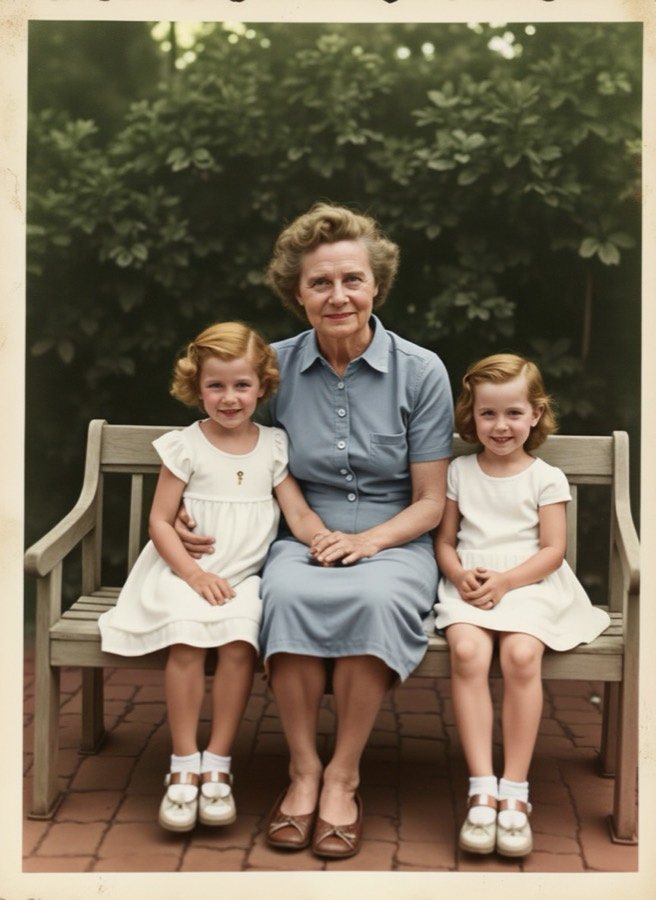
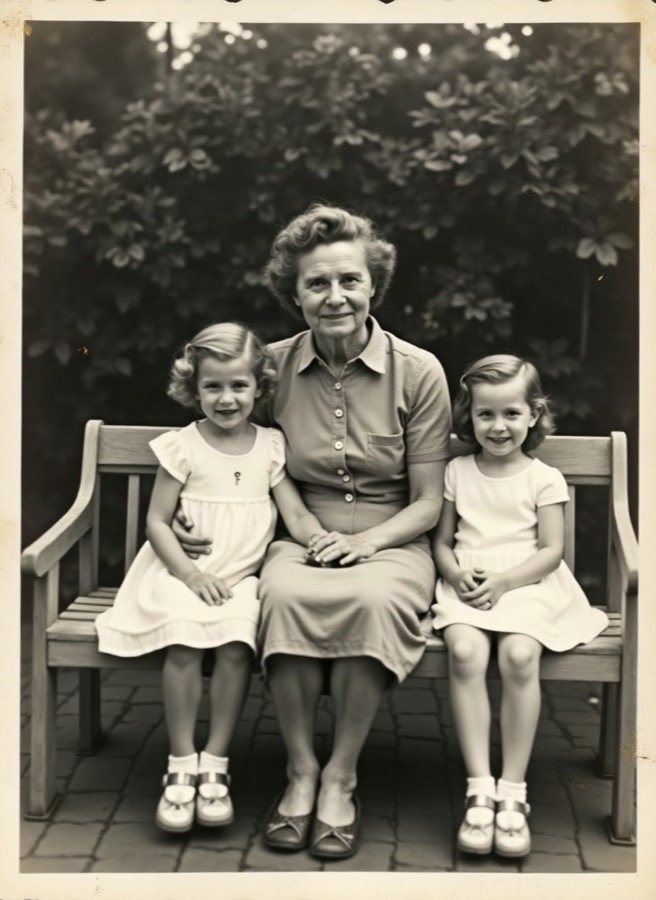
Restore Old Photo: beforeRestore Old Photo: after
Before and after with Restore Old Photo.

Restore and colorize old photos with AI

Restore Old Photo repairs a damaged print and can add natural color. Add one old photo, a scan or a phone photo of the print, and AI removes scratches, dust, tears, creases and stains and fixes fading. You get a restored photo with no watermark, in color or kept black and white. It runs in your browser and uses 2 credits.

What you get

You get the same photo, repaired: damage is removed, fading and contrast are fixed and fine detail is sharper. With color on, it gets natural tones like true skin tones, green foliage and period-appropriate clothing colors; with color off, it stays black and white or sepia. Faces get a gentle cleanup, and every person and object stays where it was.

Fix scratches and add color. It uses 2 credits; the same credits work for video templates.

Ideas for using it

  • Repair a grandparent's wedding photo
  • Fix a creased print from a shoebox or album
  • Add color to a family photo from decades ago
  • Make a clean copy for a reunion or anniversary
  • Share a repaired family photo with relatives

Photo tips

  • Lay the print flat and photograph it in soft daylight, without glare or phone shadows.
  • Get the whole photo in the frame and crop out the table or album page.
  • Use a scan if you have one; more detail gives a cleaner result.
  • Want it to stay black and white? Turn off Add natural color before you make it.

FAQ

Does restoring an old photo cost anything?

Yes. Each restore uses 2 credits. The Video Pack is $14.99 paid once and comes with your first video plus 100 credits, with no subscription.

Can I keep the photo black and white?

Yes. Turn off Add natural color and the photo is repaired but stays black and white or sepia, like the original.

What kind of damage can it fix?

Scratches, dust, tears, creases, stains, fading and weak contrast. It also sharpens fine detail.

Will it change the people in the photo?

It is made to keep everyone in place with the same age and expression, giving faces only a gentle cleanup. It is an AI restoration, so small details can differ from the original.

Can the old photo move?

Yes, with the Old Photo Alive template. It restores and colorizes the photo, then makes a 5-second video with music where the people breathe, blink and smile, for 5 credits.

Do I need a scanner?

No. A clear phone photo of the print works, and so does a scan.
All questions →

Need help?

Email tknappstudio@gmail.com. We reply within 2 business days.