AI image extender: see more around your photo

Expand Photo is an AI image extender. Add one photo, pick a new shape (Tall 9:16, Square 1:1 or Wide 16:9), and AI adds more scene around the edges instead of cropping. You get one photo in the new shape, with no watermark. Each photo uses 2 credits, and it works in your browser on phone or desktop.

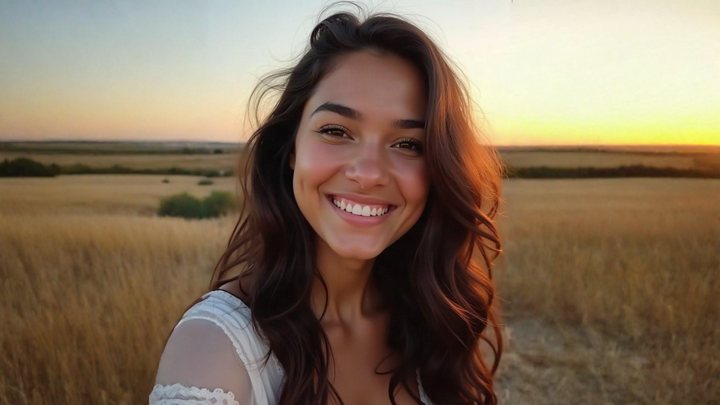
Expand Photo: beforeExpand Photo: after
Before and after with Expand Photo.

AI image extender: see more around your photo

Expand Photo is an AI image extender. Add one photo, pick a new shape (Tall 9:16, Square 1:1 or Wide 16:9), and AI adds more scene around the edges instead of cropping. You get one photo in the new shape, with no watermark. Each photo uses 2 credits, and it works in your browser on phone or desktop.

What you get

You get one photo in the shape you picked, with your original picture inside and new AI-made scene added around it. A vertical shot can become a wide 16:9 frame with more of the setting on both sides, or a wide shot can become a tall 9:16 frame.

See more around the frame. It uses 2 credits; the same credits work for video templates.

Ideas for using it

  • Fit a photo to Reels, TikTok or Stories at 9:16 without cropping
  • Turn a vertical photo into a wide 16:9 banner or wallpaper
  • Make a square version for a profile picture or feed post
  • Fix a photo that was framed too tight
  • Add room around the subject for text on a poster or thumbnail

Photo tips

  • Pick the shape for where you'll post: Tall for Reels and TikTok, Wide for banners and screens
  • Use a photo without borders, frames or text at the edges
  • Photos with simple edges like sky, walls, grass or sand usually extend most smoothly
  • If a person is cut off at the edge, AI has to guess the rest, so check hands and feet in the result
  • Upload the original file rather than a cropped screenshot

FAQ

Which shapes can I expand a photo to?

Three: Tall (9:16) for Reels and TikTok, Square (1:1), and Wide (16:9).

Does it crop or stretch my photo?

No. Your photo stays in the frame and AI adds new scene around it to fill the new shape.

Is the added scene part of the original shot?

No. AI imagines what could be just outside the frame, so the new edges are AI-made, not part of what the camera captured.

What does it cost to expand a photo?

Each expand uses 2 credits. Credits come from a plan: the $14.99 one-time Video Pack (your first video plus 100 credits), Weekly at $6.99 for 50 credits, or Monthly at $19.99 for 150 credits.

Do I need to download an app?

No. Expand Photo works in the browser on phone and desktop. Sign in with your email, no password needed, or with Google or Apple.

All questions →

Need help?

Email tknappstudio@gmail.com. We reply within 2 business days.