AI outfit swap: see yourself in a new look from one photo

Outfit Swap is an AI outfit swap that shows you in a new look. Add one photo of you from your head to at least your waist, then add a photo of the outfit or pick one of 8 ready looks. You get one new photo of you in those clothes, with no watermark. It uses 2 credits and works in your browser on phone or desktop.

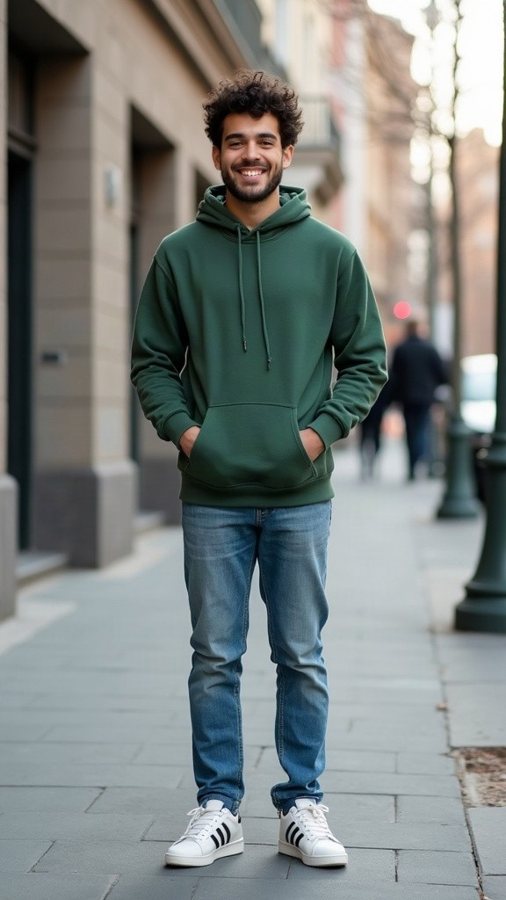
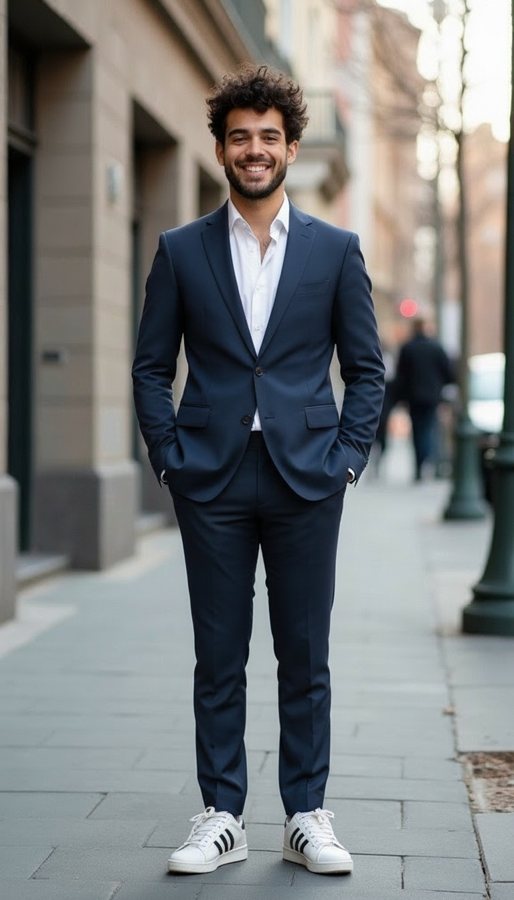
Outfit Swap: beforeOutfit Swap: after
Before and after with Outfit Swap.

AI outfit swap: see yourself in a new look from one photo

Outfit Swap is an AI outfit swap that shows you in a new look. Add one photo of you from your head to at least your waist, then add a photo of the outfit or pick one of 8 ready looks. You get one new photo of you in those clothes, with no watermark. It uses 2 credits and works in your browser on phone or desktop.

What you get

You get one photo of you in the new outfit. The tool is set to keep your face, hair, body shape, pose, background and lighting the same and change only the clothes, made to fit with natural folds and shadows. It is also set to keep every result tasteful and fully clothed, with no logos or text.

Try on any look. It uses 2 credits; the same credits work for video templates.

Ideas for using it

  • Picture a look on you before you buy it
  • Pick an outfit for a wedding, a date or a job interview
  • Try a style you'd never risk in a store, like 70s vintage
  • Compare a tailored suit and black tie for the same event
  • Show a friend the jacket you're thinking about

Photo tips

  • Use a photo that shows you from your head to at least your waist
  • Face the camera and skip sunglasses; front-facing photos work better
  • Make sure you are the only person in the photo
  • For an outfit photo, pick one where the clothes are fully in view and well lit
  • Choose a bright, sharp photo, since dark or blurry ones work less well

FAQ

Do I need a photo of the clothes?

No, the outfit photo is optional. Add a picture of the clothes you want to try, or skip it and pick one of 8 ready looks.

Which looks can I pick?

Tailored suit (navy, with a crisp white shirt), Black tie, Streetwear (hoodie, cargo trousers and white sneakers), Leather jacket, Summer linen, Cozy knit, Athletic and 70s vintage (flared trousers and a patterned shirt).

Will it change my face or background?

It is set to keep your face, hair, pose, background and lighting as they are and change only the clothes. AI results can vary, so check the photo before you share it.

How many credits does an outfit swap use?

2 credits per photo. Credits come with a plan: the Video Pack is $14.99 paid once and includes your first video plus 100 credits, with no subscription.

Is this a real photo of me in those clothes?

No. It is an AI-made image to help you picture a look, not a photo of you wearing the actual item.

Can I try outfits on a photo of my kid?

No. Photos that look like they show a minor are blocked for Outfit Swap, and every photo is checked before anything is made.
All questions →

Need help?

Email tknappstudio@gmail.com. We reply within 2 business days.